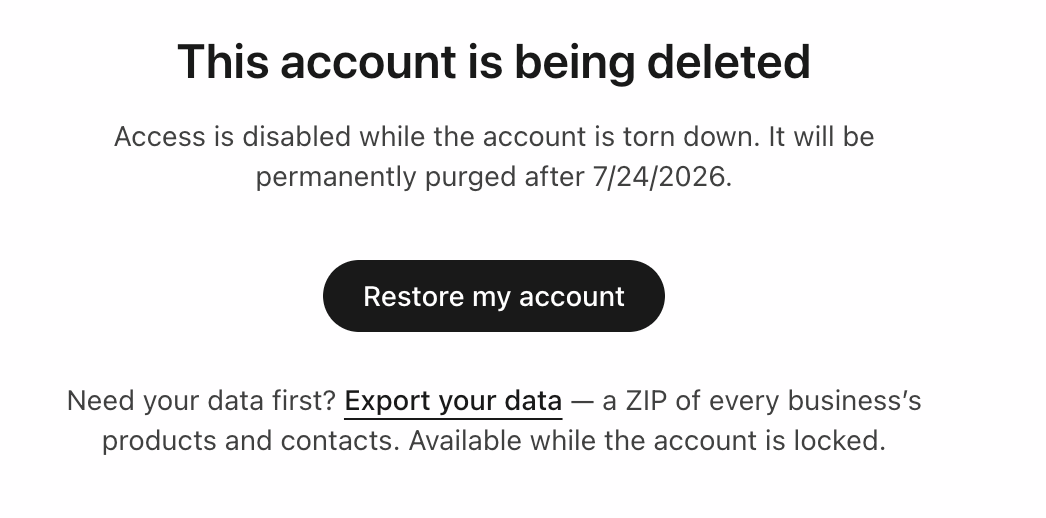
Deleting is permanent, and only the account owner can do it. Before you start, it's worth knowing exactly what happens — and that pausing might be what you actually want.
What deletion removes
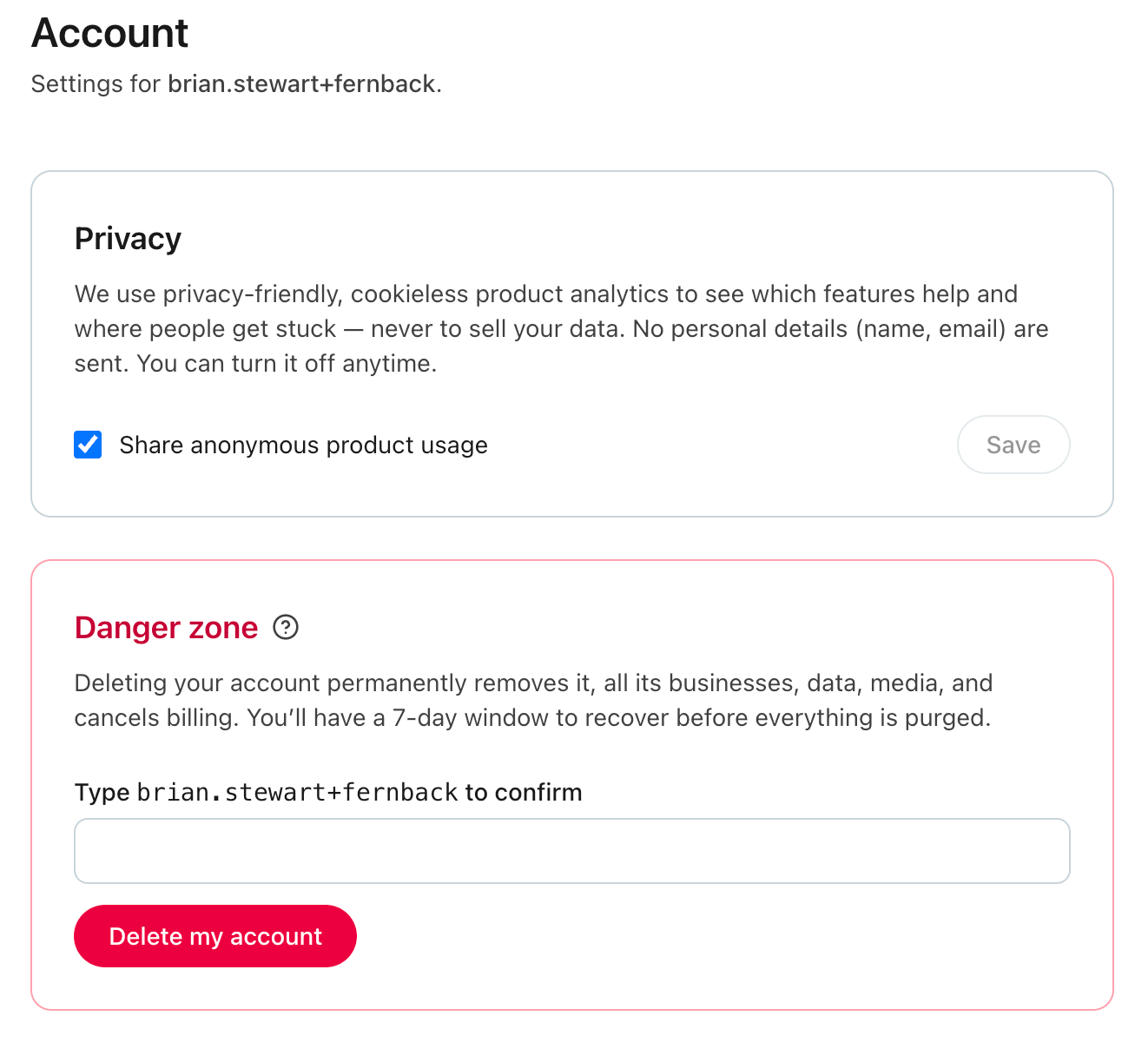
From Account → Danger zone, deleting "permanently removes it, all its businesses, data, media, and cancels billing." That's every business in the account, all your people, products, and images, and your subscription. To go ahead you type your account name to confirm, then click Delete my account.
If you just need a breather, look for Just need a break? and choose Pause instead: it stops billing and keeps everything, and you can resume anytime — nothing is deleted and there's no deadline. (Pausing is available when you have a paid subscription.)
Export your data first
Take your data with you before it's gone. Use Export your data to download a ZIP of every business's products and contacts. The export stays available even while the account is locked — including the whole recovery window — so you can grab it right up until the account is purged. (You'll find the link on the paused and being-deleted screens.)
The grace period
Deleting isn't instant — your account enters a 7-day recovery window first:
- During those 7 days, you (the owner) can open the account and click Restore my account to undo the deletion completely, as if it never happened.
- After 7 days, a cleanup runs and everything is permanently purged — the account, all businesses and data, media, and billing. That can't be undone, and support can't bring it back.
So: pause if you might return, export your data to be safe, and remember you have a full week to change your mind before anything is gone for good.